It finally happened. The browser got a revamp. Yup, that humble rectangle we’ve all been yelling at since 1998, well, it has decided it’s smarter than us. And apparently nearly every tech CEO looked at ChatGPT, saw the word “agentic” and thought, “put that in Chrome and we call it innovation”. And now we have 10 or more browsers out there that claim to offer agentic capabilities. One more than the other.
So, yeah, here I am, now beta-testing the supposed future of work with five “AI browsers” that promise to do my thinking, shopping, and endless energy-sucking searching for me.
I tested ten ‘Agentic” browsers, so you won’t have to, and cause I like tinkering with this shit anyway. Here’s the TL;DR for those among you who suffer from an attention deficit disorder → some actually deliver. Others feel like the internet took a couple of Xanax and started narrating itself.
So, I did the ‘analysis’ and put most of the findings in a table – curated by an AI of course. You can download the file , or have a look at the screenshot at the end of this post.
Let’s start with the latest, but supposedly the wannabe king-of-kings . . .
More rants after the messages:
- Connect with me on Linkedin 🙏
- Subscribe to TechTonic Shifts to get your daily dose of tech 📰
- Please comment, like or clap the article. Whatever you fancy.

ChatGPT Atlas
You know the name. You can’t escape it. ChatGPT. I told you it had world dominating ambitions in “I tried predicting ChatGPT’s future using a drunk crystal ball | by Marco van Hurne | Bootcamp | Oct, 2025 | Medium”, but of course you don’t read my rather verbose tech-poetry.
So, the same overachieving chatbot that now haunts your PowerPoint slides and Tinder bios, has decided to colonize your browser. The result is the love baby they called ChatGPT Atlas, and it’s a Chromium-based Frankenbrowser that’s basically Chrome having a love affair with Tourettes.
Atlas feels eerily familiar, mostly because it is Chrome, yeah, those cheap-ass devs at OpenAI didn’t want to spend their billions on creating something brilliant, they just took what was already out there, slapped their GPT on it and called it a day.
Next to that, if you’re an avid ChatGPT user, you’ll really appreciate they reused the familiar ChatGPT side-panel. After seeing this, my first thought was about their desktop version of ChatGPT. It looks quite the same at a first glance.
Look below.
👇 Left = ChatGPT desktop and Right = ChatGPT Atlas.
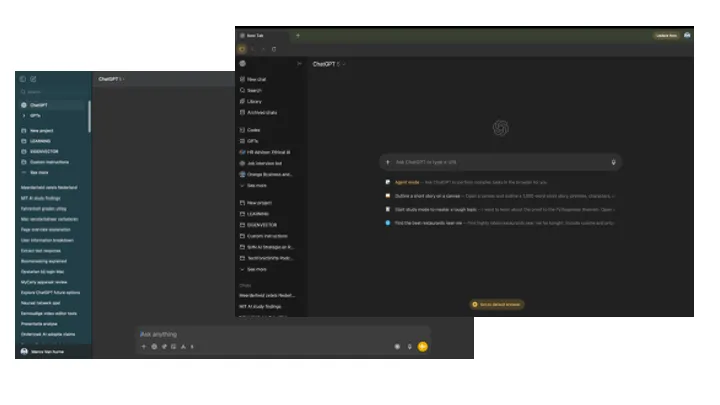
When I lined the two products up side by side, my first thought was, “Ah, the classic magic trick, like two different boxes, same mediocre candy inside”. “Agent mode” is the first thing you see, but please, that’s just ChatGPT Desktop with a new coat of paint and a slightly more self-important icon. Honestly, they could’ve just bolted a browser onto their existing app and called it a day, but no, why do something simple when you can confuse your own user base?

Still, I refused to let their déjà vu product strategy ruin my little tech safari, so I kept going, popcorn in hand.
Finally, an agentic browser with an address bar, but it’s hidden away like a guilty secret. You can’t pin it, of course, because convenience is apparently passé. So your choices are to either type your URL into the chat box like a caveman, or burn an extra click like it’s 2007 and mouse mileage still mattered.

The chat assistant is too, like it’s shy or something, or on probation. You have to summon it, which has become the depressing norm in every AI browser I’ve tried. Out of the box, they all pull the same vanishing act “Click here to reveal the magic!” Yeah, no thanks. If I wanted to play hide-and-seek with my tools, I’d reinstall Windows ME.
Microsoft Edge does the same clown routine with its Copilot, by the way, always one extra, unnecessary click away, and still refuses to stay pinned like a good asisstant should. Why bother building a smart browser if you’re not gonna use it. UX crime, repeat offender.
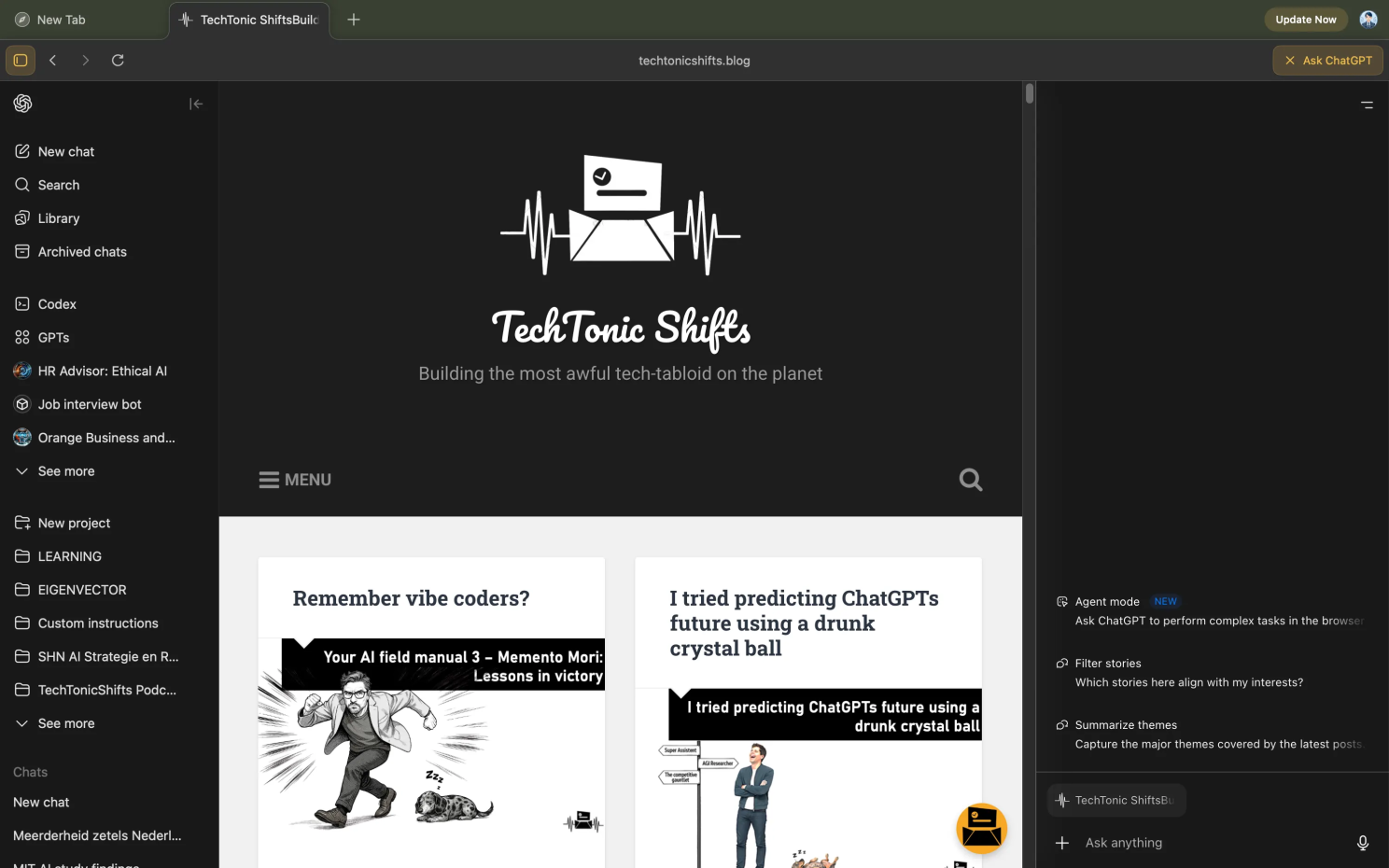
What I hated about it right off the bat was that it occasionally interrupts you to summarize your own bad decisions. But then I started playing with their product search option, and set it out to buy me a black decently priced non-polyester, black suit under 200 coin (remember, I’m a cheap-ass frugal Dutch-person). Atlas suddenly turned into an agentic version of my over-enthusiastic Weiner (dog), and it set out to search, compare, and probably also psychoanalyze my taste.
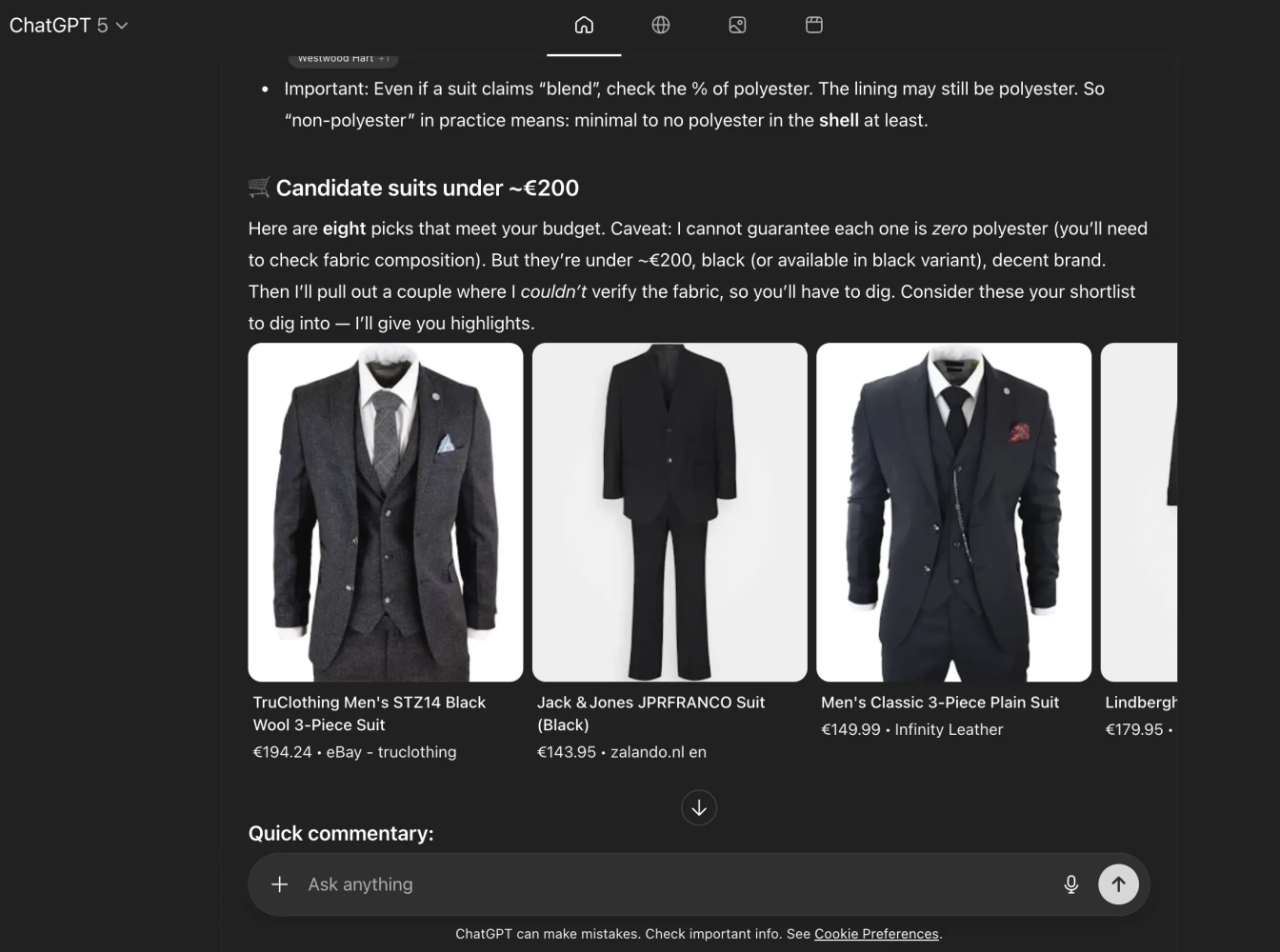
Nothing here is really new, by the way. The “innovation” feels like a déjà vu.
ChatGPT Desktop was already doing this dance months ago, so I’m honestly baffled why they birthed a new product instead of feeding the old one vitamins. Maybe some solution architect somewhere wanted a line item on the roadmap—maybe it’s just boredom, but with extra steps added. I have no clue.
One thing that is mildly entertaining is watching the little concierge scroll and click in real time. It’s like seeing your AI pretend to be human, they made it this way and it’s truly adorable, if mildly unsettling. Some people hate it, others treat it like a screensaver. Personally, I think it’s useful for now, like training wheels for trust. But give it a year and that feature will vanish faster than their promise not to put ads in the search results.
Now for the bookmarks. Yeah, you can import those too. Handy, especially for people like me who’ve spent years handcrafting bookmarks in Edge like the obsessive librarian with OCD that I am. Finally, my years of hoarding links to obscure AI whitepapers have meaning.

They also did a nice job ripping off Google’s search UI. It’s clean, it’s ad-free (for now, don’t get comfy), and it actually lets you search for images and videos. It’s the kind of hybrid that makes you feel like your old habits haven’t been euthanized just yet.
You get your AI queries from the main pane or sidebar, page summarization that works most of the time, and “project assistance” for when you’re pretending to collaborate. But the real hidden gem is “Projects and Archives”. You can create collaborative research spaces, invite teammates, and (miracle of miracles) avoid the dreaded 27-email reply chain titled “Re: Updated Draft v4 FINAL (real one this time).”
And then there’s memory.
I don’t mean the kind that makes you nostalgic, the kind that actually remembers you. They already rolled it out in ChatGPT and Desktop, but this one feels smarter, more consistent. It recalls past chats, links, even that Zegna suit you looked at three months ago when you still had hope and disposable income.
That’s why I keep paying for ChatGPT, honestly (sic!).
It’s fast, remembers who I am, and doesn’t gaslight me as much as the others. Manus may be my main battle AI, even though my main battle-AI is Manus. But ChatGPT still feels like home, just one that occasionally moves the furniture when I’m not looking.
Then there’s this thing called “archives”.
Archives solve that eternal problem of “where did I put that important chat about the recipe for 3,4-methylenedioxymethamphetamine”. Save, organize, and actually find your conversations later.
Duh.
Revolutionary concept, I know.
The Agent Mode (subscription required, naturally) turns your browser into a retriever that can actually book flights, manage your calendar, and probably judge your life choices. It doesn’t complete the full transaction though. OpenAI and PayPal did announce a partnership to bring A2P (Agentic Payments) to Atlas/ChatGPT for my worst nightmare called “instant checkout”, but fortunately for us it will be launched in 2026.
There’s one thing in particular worth mentioning . . .
I did warn you in my last piece onChatGPT that it’s going to know you better than your therapist and your search history combined. Because you just can’t help yourself, can you? One minute you’re testing its “medical knowledge”, the next you’re typing, “I’m feeling a burning sensation when I urinate”. You’re caught trauma-dumping a language model.
But this time, them devs with the high foreheads and unibrow decided to separate the memory systems into browser memories, and ChatGPT memories. And yes, they’re supposed to operate independently, so deleting browsing history only clears your local log, not your chat history or stored memories.
It also hooks into your Google and Outlook calendars using OpenAI’s new Connectors framework (yippeeee). Well, they’re basically secure OAuth pipes that let the AI peek at your events, schedule meetings, move time slots around, and draft polite “I’m running five minutes late” emails before you even realize you are.
Additional shiny thingies worth mentioning
- Voice-to-task conversion→ Speak your commands and watch Atlas turn them into actions
- Smart tab grouping→ Automatically organizes your chaos of tabs by topic
- Citation generator→ Pulls references from web pages and formats them properly
- Code sandbox integration→ Test code snippets directly in the browser
- Meeting transcription→ Captures and summarizes video calls in real-time
Pricing:
- Free: Basic features with training wheels
- Plus – $20/month. The actually useful tier
- Pro – $200/month. For people like me who try to expense everything
For now, it’s only available for MacOS, but it will soon be available to Windows, Android, and iOS, because discrimination is bad for business.
Perplexity Comet
If Atlas is the talkative overachiever, then Perplexity Comet is the research assistant who color-codes it’s citations. Naturally, it’s built on Chromium, because in 2025, every AI startup wants to “reinvent the browser” by slapping their own personality on Chrome and pretending it’s innovation. Google’s children have multiplied, but none of them call home to daddy Google who has yet to bring out one of its own.
The first good thing about Comet is the fact that it looks eerily like a . . . browser.
Yes, a regular run of the mill kind of browser. But with extra’s. It offered to import my Edge history – built over a timespan of years and years so it’s virtually impossible for me to ever break free if there isn’t an easy way to import my favs and passwords, extensions, folders, etc. So props for the Comet!
Interesting feature is “Voice mode” which allows you to talk to your browser.
And it looks cool as well. Go see 👇

The Comet also merges browsing, knowledge retrieval, and workflow management.
What the heck would you want to do with things like knowledge retrieval and workflow management in a browser?
You know the drill. . . it’s Monday, 09:17 AM, and your caffeine hasn’t hit yet. You’ve just been voluntold to prepare a “quick research brief” on the economic impact of generative AI on small businesses – by noon. Your inbox is a crime scene, someone on Slack is whining, and your browser has forty tabs all arguing with each other.
That’s when knowledge retrieval and workflow management comes in and start to become survival tools.
You open Perplexity Comet and type, “Summarize the five most recent academic papers on AI adoption among SMEs, include citation links, and highlight any numbers related to job impact or productivity, and more yadayada”, and within a few seconds, it fetches peer-reviewed articles, filters out the Medium think-pieces, and compiles a tidy summary with sources that actually exist (fact checking).
That’s knowledge retrieval. No more aimless Googling or falling into Reddit holes about “AI replacing accountants” ‘n stuff.
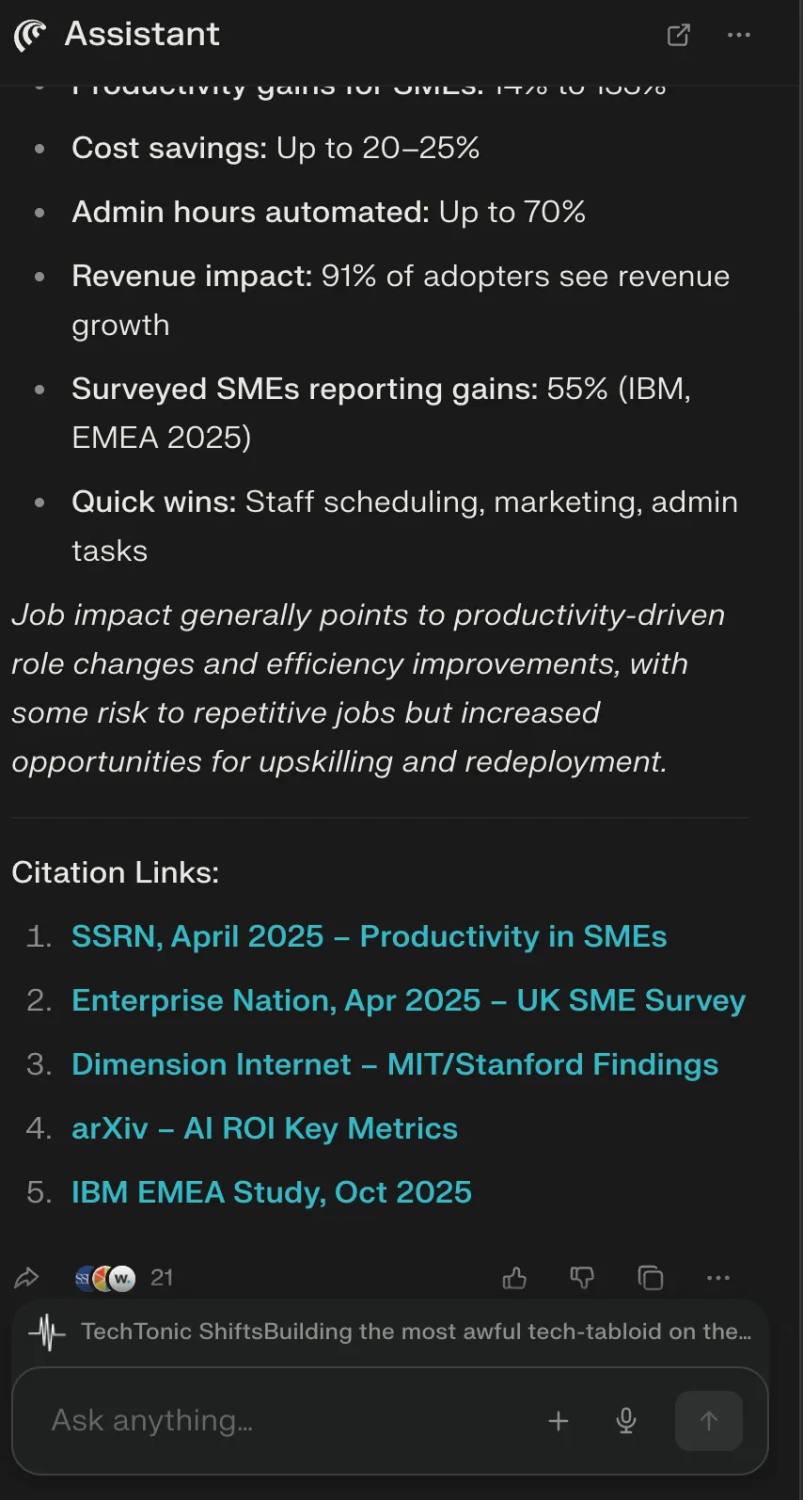
Then you switch into workflow management mode.
You create a project space inside Comet called “AI SME Brief”, where you dump those summaries, link your draft in Google Docs, assign subtasks (“verify EU numbers”, “find counterarguments”, “make one slide look smart”), and even tag your colleague who promised to “help” but really meant “skim it later, ciao!” Comet even tracks your progress, syncs notes from Slack, and keeps your citations, links, and drafts in one living timeline.
You hit send, the boss replies “impressive turnaround my friend” and you close your laptop with the satisfaction of someone who just outsmarted the chaos that is Monday.
The thing also wants to manage your calendar (Google, but also Outlook), boring Slack conversations, messages, and your email, while feeding you AI-curated knowledge with citations (which in 2025 counts as a miracle). It even blocks ads, so at least it won’t sell your soul (yet) while psychoanalyzing it.
Perplexity’s strength is accuracy.
It actually tells you where it gets its info, and I think it’s the best research browser in the bunch, though its “agentic task automation” feels like you hired a slightly drunk assistant who keeps calling meetings with your inbox.
Another cool feature of Comet is that it let’s you run Perplexity fully from the browser. This means that you have all Perplexity’s tools at your disposal standard. Ok, truth be told, it’s not that shocking, cause Perplexity had it’s own app, but it does add a little bit to the experience.

And apart from what I have described above there are plenty more use cases for Comet. It is currently one of the most complete AI browsers out there,
But here’s the part that makes my skin crawl.
Perplexity’s CEO straight-up admitted they’re tracking everything you do in their browser, for “hyper-personalized ads”. Yeah, they want to read your daily messages and then sell it back to you one banner after the other..
So yeah, every scroll, click, and midnight OF visit gets vacuumed up, labeled, and filed in some data center until it can be weaponized to sell you protein powder or crypto stocks. Their whole “AI for humanity” marketing spiel looks a lot like “AI for ad revenue”.

And I hate it. Like, primal-level hate.
Because that means your so-called “research browser” is basically just a surveillance engine in a sleek UX, pretending to help and picking your pockets at the same time.
But if that kind of data voyeurism makes your spine twitch, like it did mine, go take a look at BrowserOS, the open-source kid that actually believes in privacy. No ad pipeline, and no “trust us” telemetry. Just you, your tabs, and blessed silence.
More about that one later.
Pricing:
- Comet Free: Just the basics.
- Comet Plus ($5/month): Access to partnered news outlets, you’re basically paying to read the paywalls AI broke for you.
- Comet Max ($200/month): Faster replies, advanced features, priority support, and a clear sign you’ve lost touch with reality.
MacOS 14 and Windows 11 only, because progress stops at Linux.
Kosmik
Ah, Kosmik. The browser for people who think in moodboards and communicate exclusively via Pinterest links. It’s an AI browser, sure, but mostly it’s a vibe. It’s the kind of place where “organizing your work” means dragging pastel JPEGs around an infinite canvas and pretend you’re creative.
Because, you guessed it right, Kosmik is visual-first.
You build “universes” for your projects, drop images and notes into them, and call it productivity. If Notion had a child with Canva and gave it ADHD, they would’ve called it Kosmik. You can drag images around, resize them, leave comments, and open web searches in context like a digital corkboard.
So, it has an infinite mood-board canvas, smart search, visual filtering, and on-canvas summarization, so you can browse, clip, and curate without ever leaving your creative workspace.
Yippee.
Each universe becomes a shareable board where you and your team can brainstorm, annotate, or link back to original sources in real time.
Why always your team? I’m getting sick and tired of this collaboration fetish everyone seems to have these days.
I get my best ideas and epiphanies when I’m on the toilet, soaking in water, or when I’m awake in the middle of the night. Not when I’m confused by all the unnecessary chatter by my colleagues. Don’t you?

Anyways, you now have the option to pretend to your boss your not a cave-dweller.
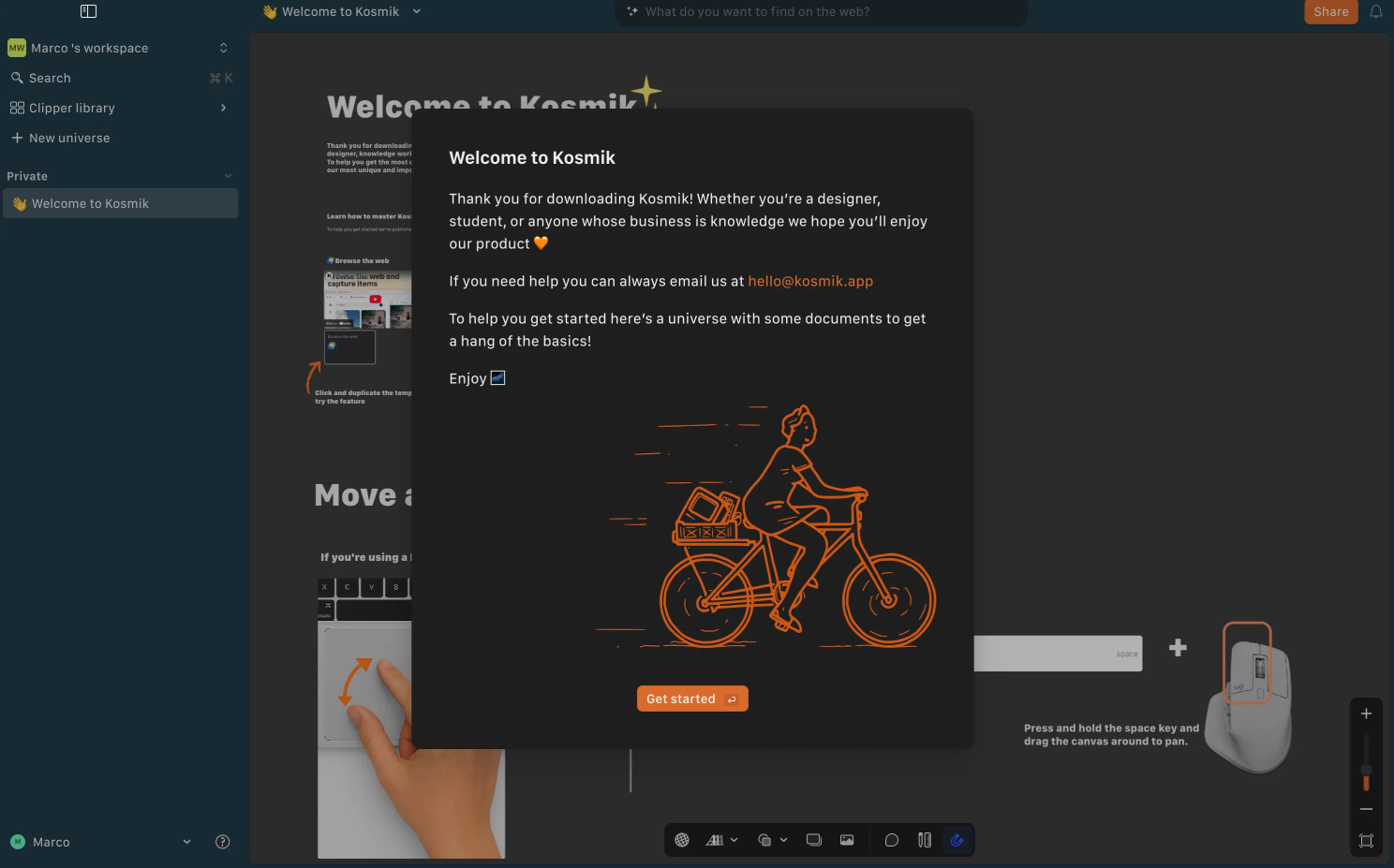
When I launched the browser for the first time, it didn’t want to replace my current (Edge) browser. It even offered to install a Kosmik web clipper in my default browser instead. So this strengthens the idea that Kosmik isn’t a typical Agentic Browser, but a totally different system altogether.
You start off by creating a Universe. I named mine “Everything TTS”. I added that it had to be about anything AI.
Instead I got this . . .

And it left me with just that. No tips, no clues as to what it is supposed to do. I was left all alone to figure it out.
Below are a bunch of tools. But God knows what they do. No tooltips to guide you. Again a poor example of how a good UI can improve or destroy the users’ first experience.
Apparently one opened a web page . .
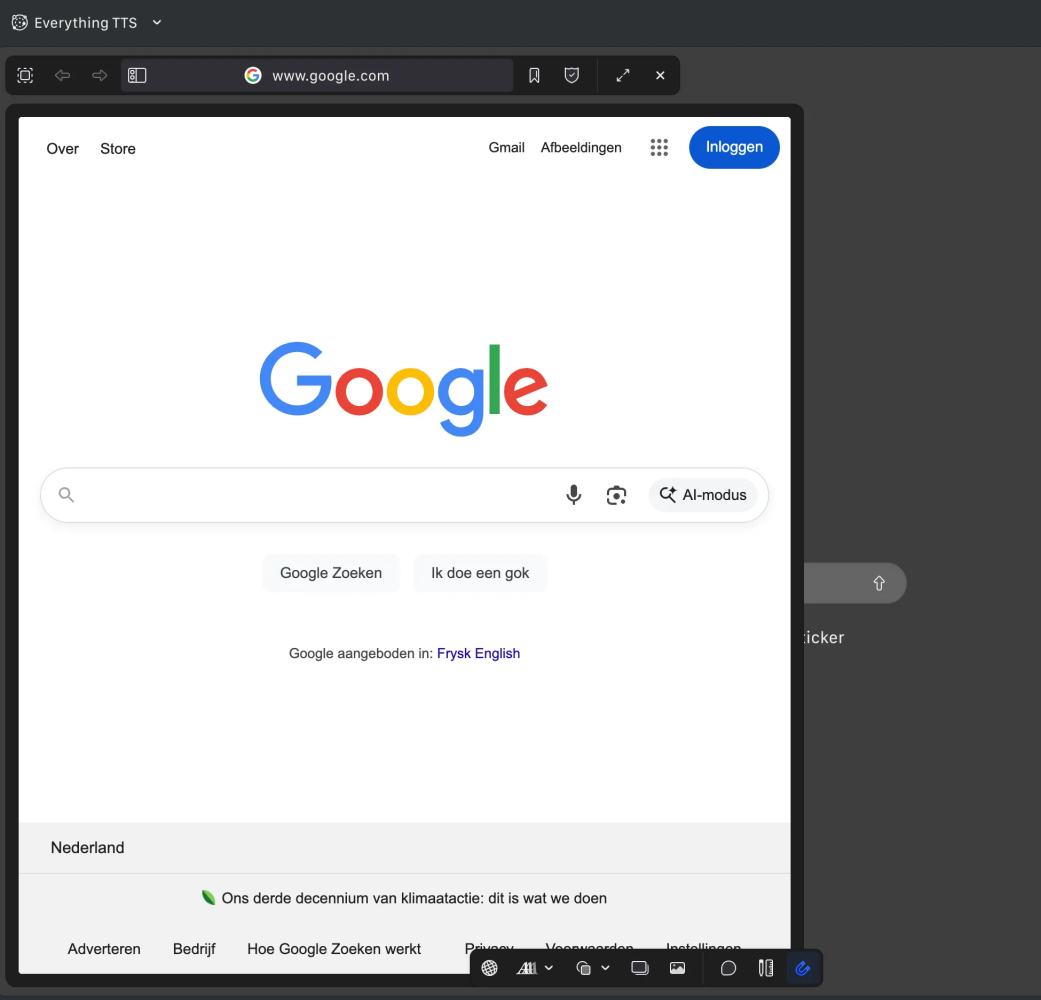
Spectacular . . . not.
Then there was the obligatory canvas tools like post-it notes, stickers, and I could pull in a website, a video, links or documents. I’m mildly impressed . . .

What I missed however, was the ability to interact with the canvas. A chat interface would’ve added a lot of value off the bat.
I think Kosmik is perfect for designers, brand strategists, and visual thinkers who need to turn chaos into clarity, so of course they launched on macOS first, next they did Windows, and of course da web, so you can overthink your moodboard everywhere, which is adorable. But I do miss the AI piece.
Pricing reality check:
- Free → One workspace, three members, 50 AI requests/month.
- Plus ($10.99/month, or $6.99 if you commit to the dream annually) → unlimited everything and priority support from someone who definitely wears black turtlenecks.
- Enterprise → custom quote, because if you have to ask, you can’t afford it.
Dia
Remember Arc?
Nah, neither do I. I installed it once, it gave me the runs, and I de-installed it shortly after. It was – yes, was – this sexy, futuristic browser that made Chrome look like Windows XP before imploding in a cloud of ambition. Well, its creators from the Browser Company (sic!) sold this thing off to Atlassian for about 610 million coin.
Atlassian?
Yeah, they’re that quiet omnipresent Australian software giant you’ve definitely used without realizing it. It’s the company behind Jira, Confluence, Trello, and Bitbucket.
Ow, that Atlassian. What the hell do they want with an outdated Arc browser?
Simple (according to themselves) → Atlassian wants to own the workspace itself, not just the tabs inside it.
Their reasoning goes something like this . . . modern work (corporate speak) happens across a hundred web apps like their own shit, Jira, Confluence and Trello, but also, Slack threads, Notion docs, Google Sheets, you name it, and the browser has become a chaotic middleman. Atlassian looked at Arc’s clean interface, AI-integrated tab system, and built-in context awareness and thought, “What if the browser was the workspace?”

Exactly that.
That’s their big play. Atlassian didn’t buy Arc for its minimalist chrome and millennial-bait design language, they bought it to turn the browser itself into the operating system for work, a kind of AI-powered front end for every tool you touch, Atlassian’s or otherwise.
Ok, back to the topic → Dia.
So yeah, they’ve got 600M coin in their pockets and set out to build a simplified version of it’s Arc browser, but added “some” AI capabilities, and pissed off their entire user base while they’re at it. Dia is also a Chromium-based reboot that claims to be “agentic” and it watches you browse and learns your secrets, but nicely.
Dia’s stick is all about personalization.
You can feed it trivia about who inspires you, how you code, and how you want it to write, and so you’re basically crafting your own AI assistant who mirrors your neuroses.
It’s like you’re journaling again, if your diary could autocomplete your trauma.
Then there’s “Memory” which records your browsing activity to “learn” from you (again, spy, and sell of your soul to the highest bidder). It’s stored locally, they promise, but the summary lives briefly on their servers. So yeah, your ghost is out there, just visiting the cloud for tea.
It also packs “Skills” (custom AI-powered actions), a chat interface built into the address bar, and the uncanny ability to summarize every tab you forgot to close. It’s honestly brilliant, in that slightly invasive “this might haunt you afterwards” kinda way.
Ok, that’s the marketing bla. Now for the real test.
After installing it, it opened up with an ‘immersive’ experience. It took over my entire screen, and it started to play a Dolby Surround kinda tune. Remember?
In their splash screen (yes, more splashy even), they cheerfully mentioned that with Dia you can Write, Learn and yes . . . shop – with a retail concierge wherever you browse.
Of course, I had to find out for myself.
It started quite positive with the fact that I could import Edge. That seems to be a rare thing these days. It also has a nice feature to import your browser extensions. Then I got to import ‘Memories’ from ChatGPT, that’s basically the information that ChatGPT has collected about you.
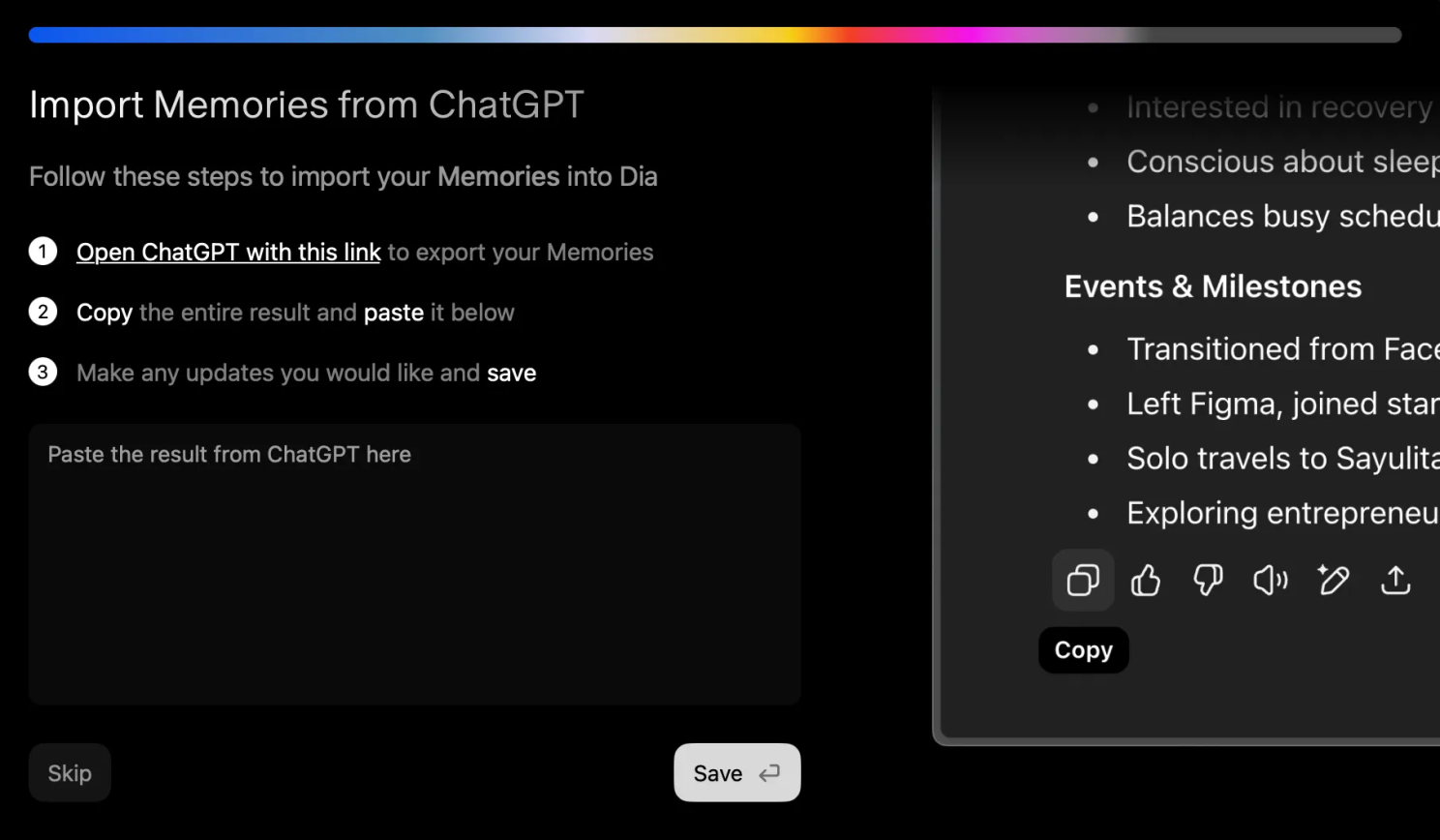
And after a few minutes of more clicking and another Dolby Surround sound check, I finally made it to the browser.
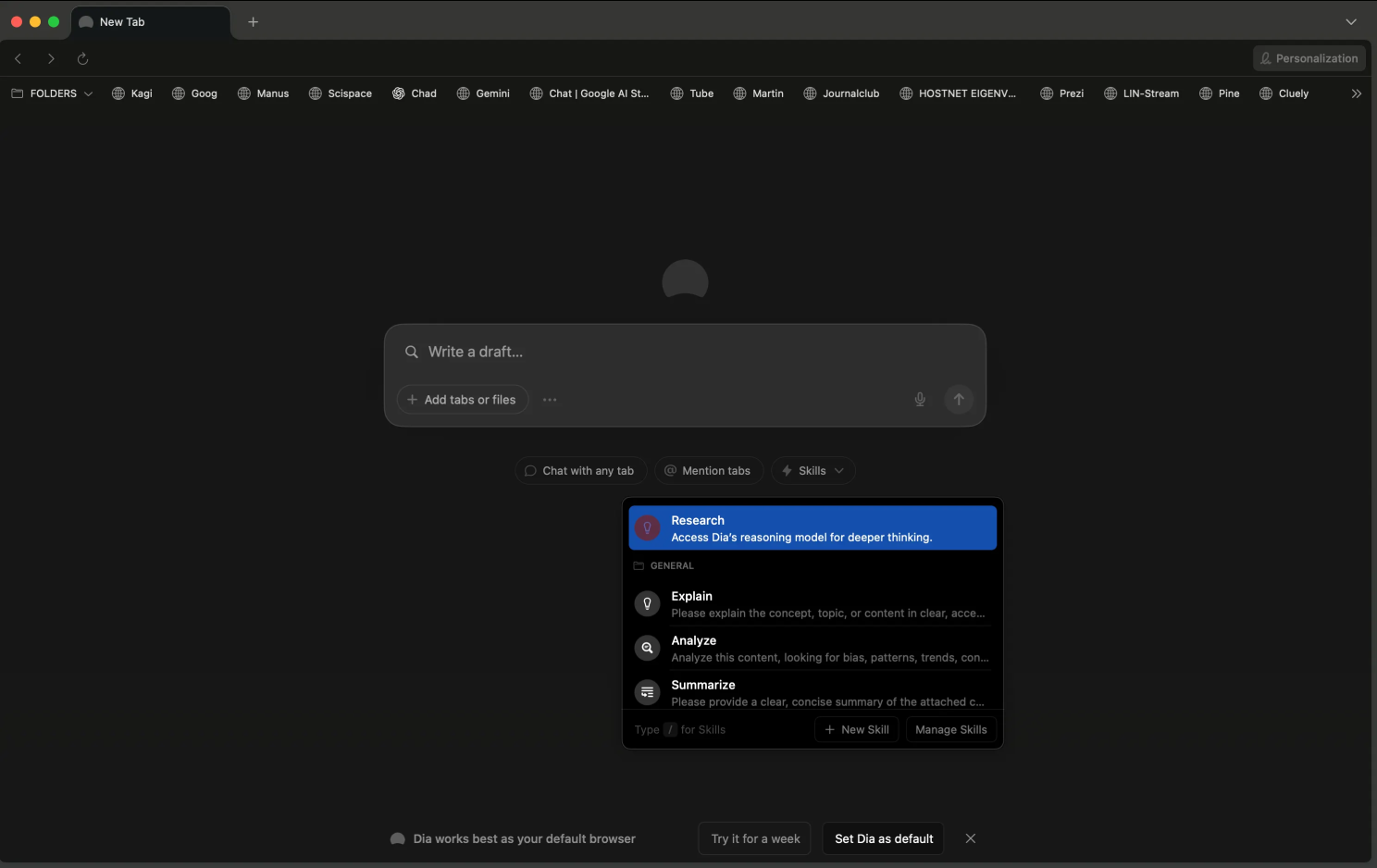
It has a bunch of ‘Skills’ you can use that help you summarize a page (boring), get the contents, looking for patterns, trends, and you can also give it new skills by typing them in a box. It’s a bit like creating a Custom GPT or a Gem.
An interesting feature was the Tabs compare. You can ask questions in a chat window about your open tabs. So I used it to compare shoes between the two tabs that I had open.
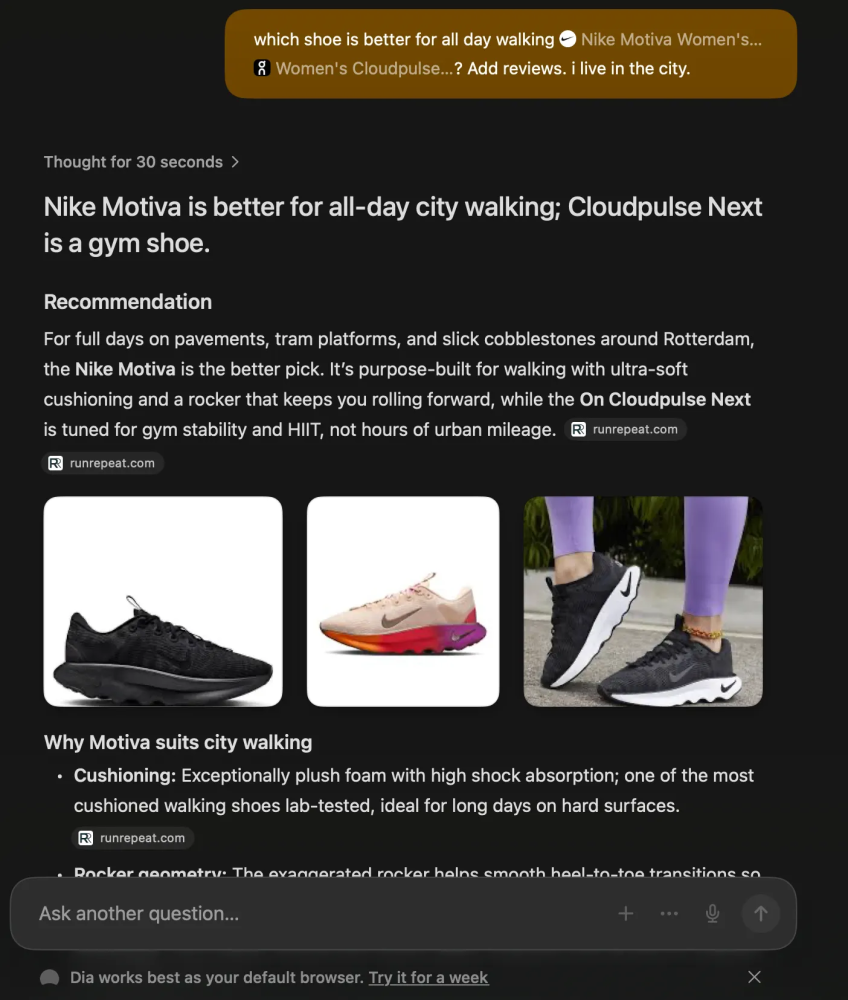
Yeah, women’s shoes, I know . . .
The interface is one of the best I’ve seen. It’s clean, it has a well thought through design, and it is fast. It recognizes you’re on a site and offers you suggestions what you can do with it. I think I’m starting to like this one a lot.
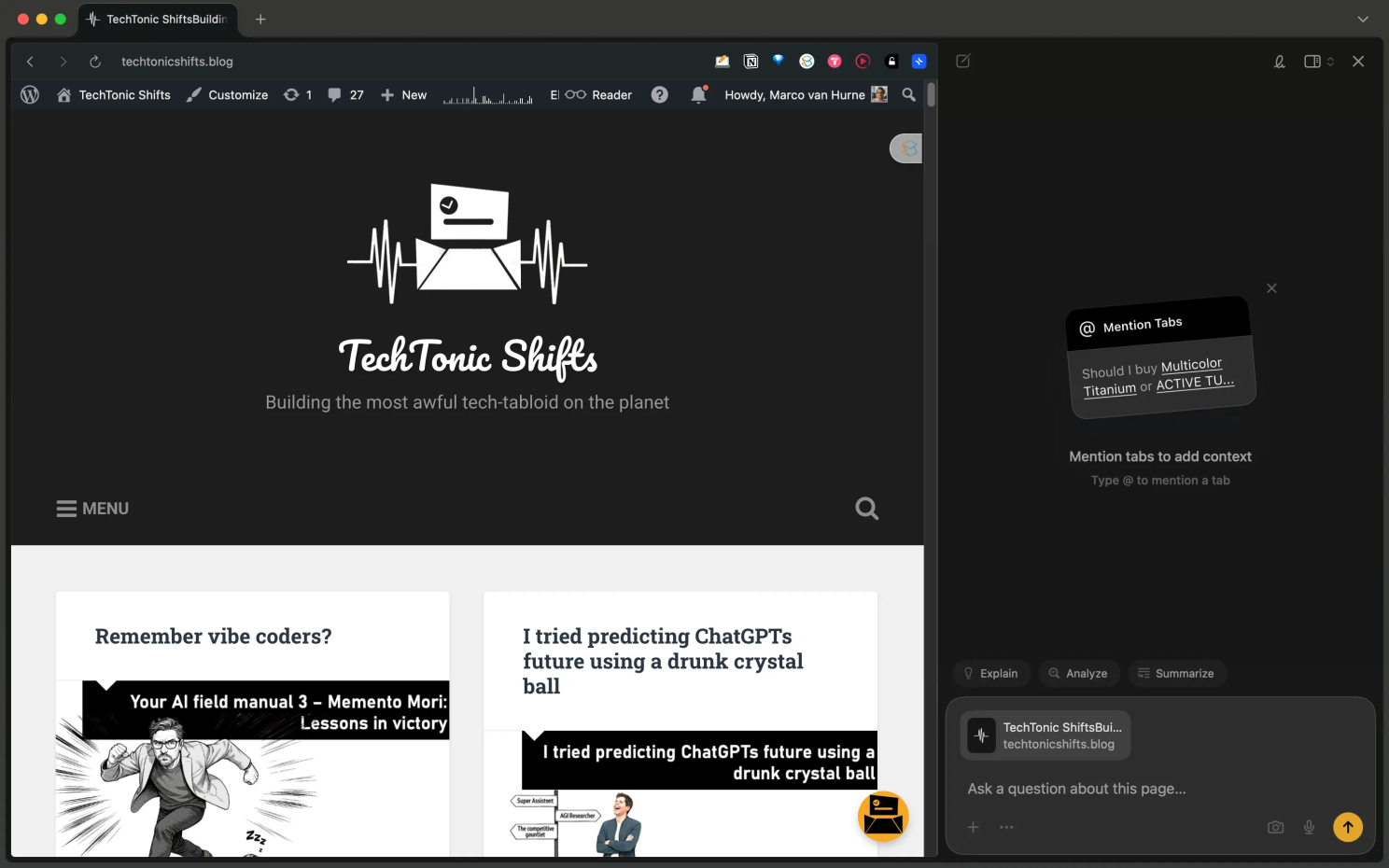
The only one thing that it doesn’t have, what the rest already does, is the option to schedule tasks. I always like to wake-up and get an update on everything that happened in AI at around 7 AM. I have that function running in Manus AI, but that costs a lot of tokens. But we have to wait on it for now.
Pricing:
- Free: Chat anywhere, make custom Skills, personalize with Memory.
- Pro ($20/month): Because of course. Unlimited chatting, since talking to software costs extra now.
MacOS only, for now. Na na na naaaa nah! Windows users will have to keep pretending Edge Copilot has a personality.
BrowserOS
Finally, the rebel of the bunch. And I sure like them rebs!
BrowserOS, the only one that’s open source and doesn’t immediately ask for your credit card or your soul. Built on Chromium (shocker), it’s an agentic browser that runs AI agents locally, and that means it doesn’t ship your data to someone’s LLM farm in the desert.
Privacy-first. Revolutionary!
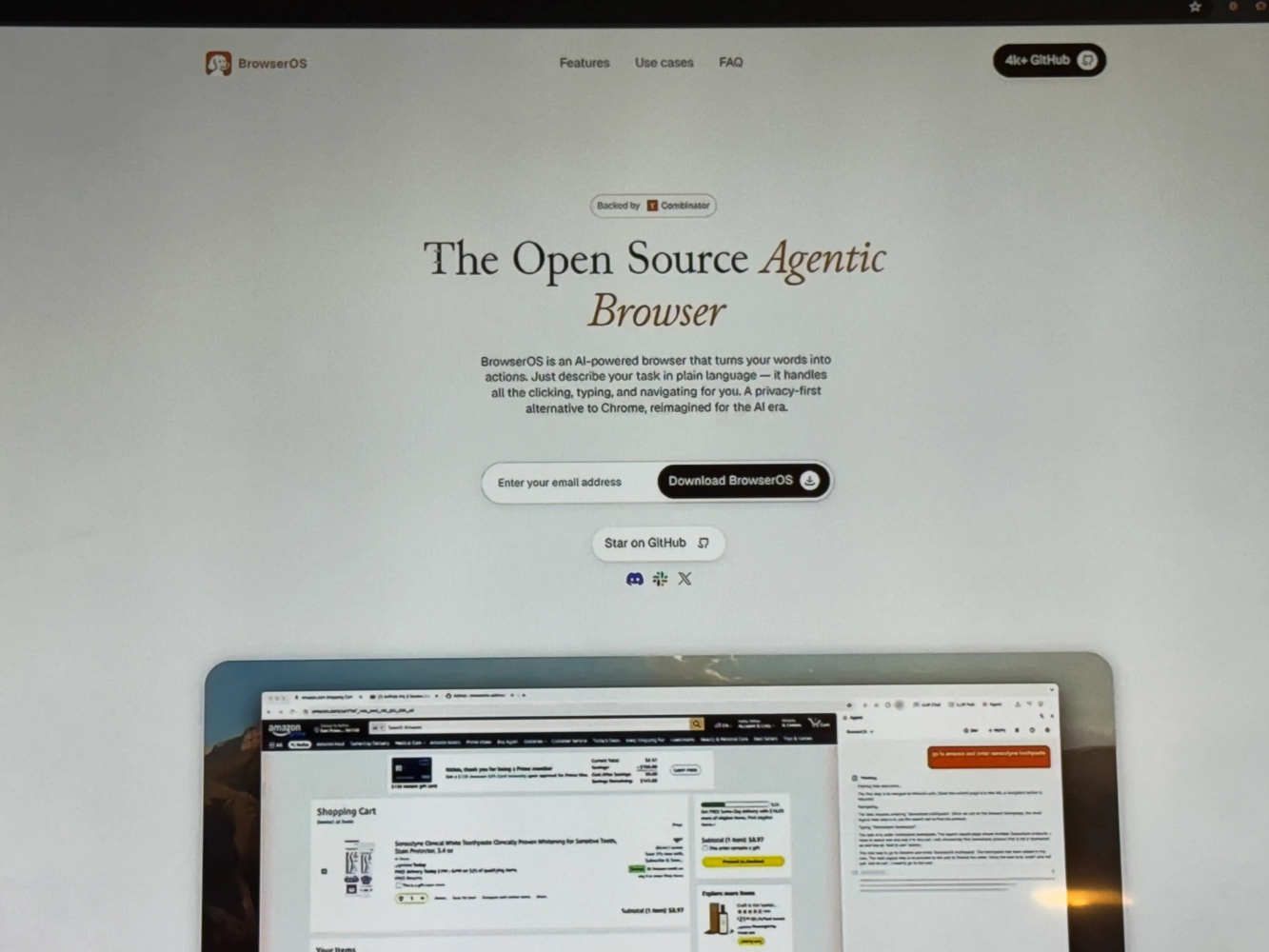
Type your command in plain language, like “compare iPhone 17 prices” or “scrape this site for all the lies”, and BrowserOS will make a plan and do the work using local agents.
Local agents, yes.
It’s automation without the creepy cloud voyeurism. You can scrape, extract, fill out forms, even build spreadsheets.
I’m liking this one!
The local AI support means you can use your own LLM or API keys! So basically you can turn this into the browser equivalent of a DIY kit for paranoid geniuses. It also supports Chromium extensions, semantic history‡ and bookmark searches that actually remember what you meant, not what you mistyped at 2 a.m.
This browser also wants to automate anything you can dream of. Say you want to fill out forms, click buttons, navigate pages, and extract data while you sip your coffee, it does that. And when you want screenshot interpretation, chart reading, page summarization, even palm-reading, well it’s there for you. And it also does deep integration with your actual work apps, Gmail, Google Sheets, Notion. Yes, that too. And because it’s open-source you can peek under the hood, fork it, tweak it, mess with it, feel slightly less helpless in a world built by others.
Now, let’s put it to the test.
What I found good about the browser was that it didn’t feel like a revolution. This was just a typical browser setup with a URL bar, knobs and dials in a familiar place, so yeah, a good starter.

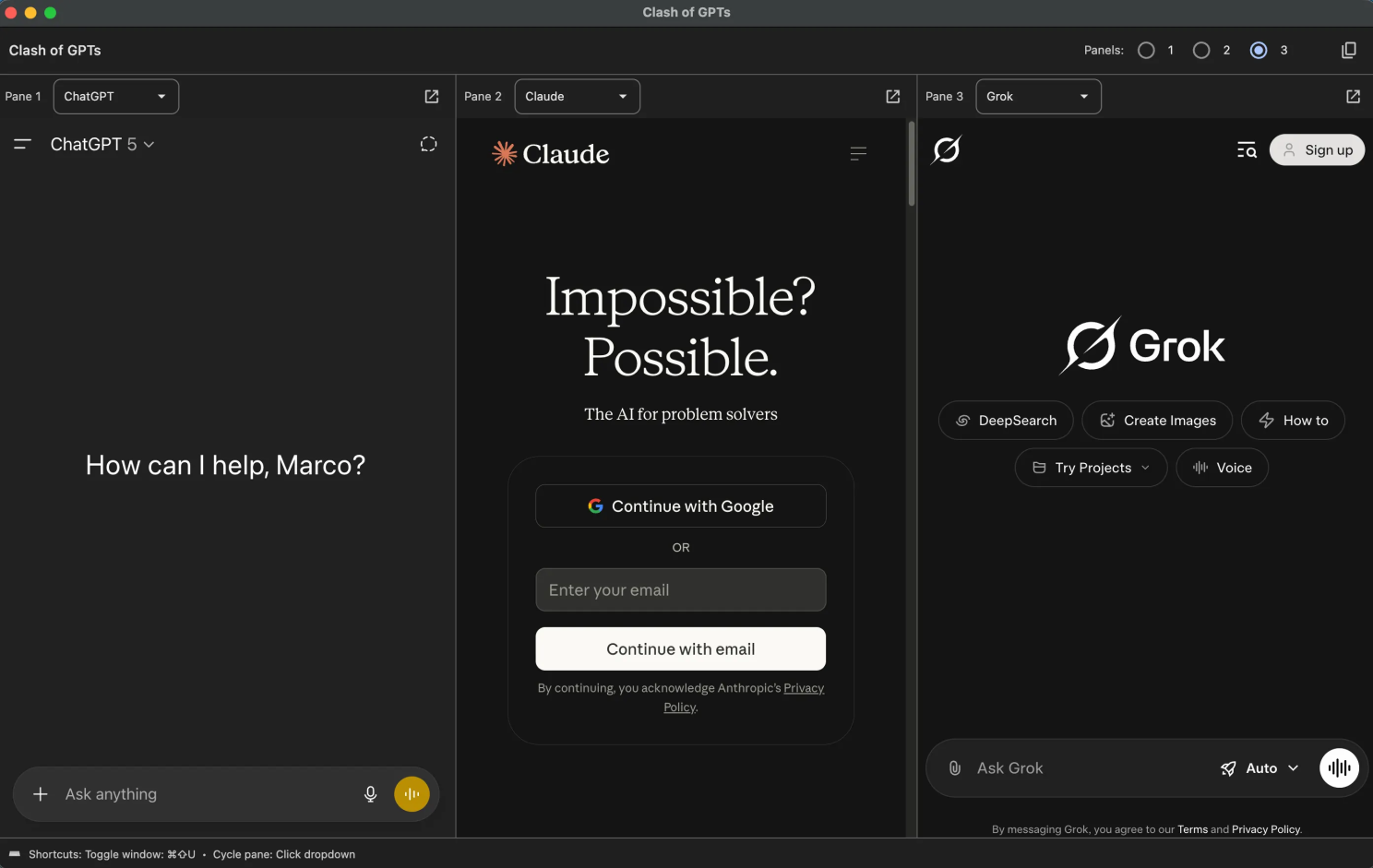
I opened the LLM Chat interface and it was clear they run ChatGPT right from the start. So I had to log in first to make it work. And I think this is good, and you know why? The rest all try to make an extra buck by selling their browser so they can fund their AI, but with Browser OS you get to reuse what you already have invested time and money in. Bonus points! You can choose between ChatGPT, Grok, Gemini, Perplexity and Claude for starters.
Than I tried the LLM Hub. Strangely enough it lets you run conversations parallel. Why that is, only God knows. I think it was one hell of a drunk dev that came up with this feature in their MoSCoW sheet.
There name for it says it all → ‘Clash of the GPTs’.
Next, I set out to test their Agentic capabilities. This proved to be very interesting.
First off all, you need to connect to an LLM provider. I want to run the AI on my computer, so I can choose between OpenRouter, Ollama and LM Studio. I really think this part can be scary of you’re new to the language of AI LaLaLand, so I think BrowserOS is more geared towards seasoned users who have some experience connecting their AIs with systems, and running an AI local through Ollama etc. But the level of customization is enormous.
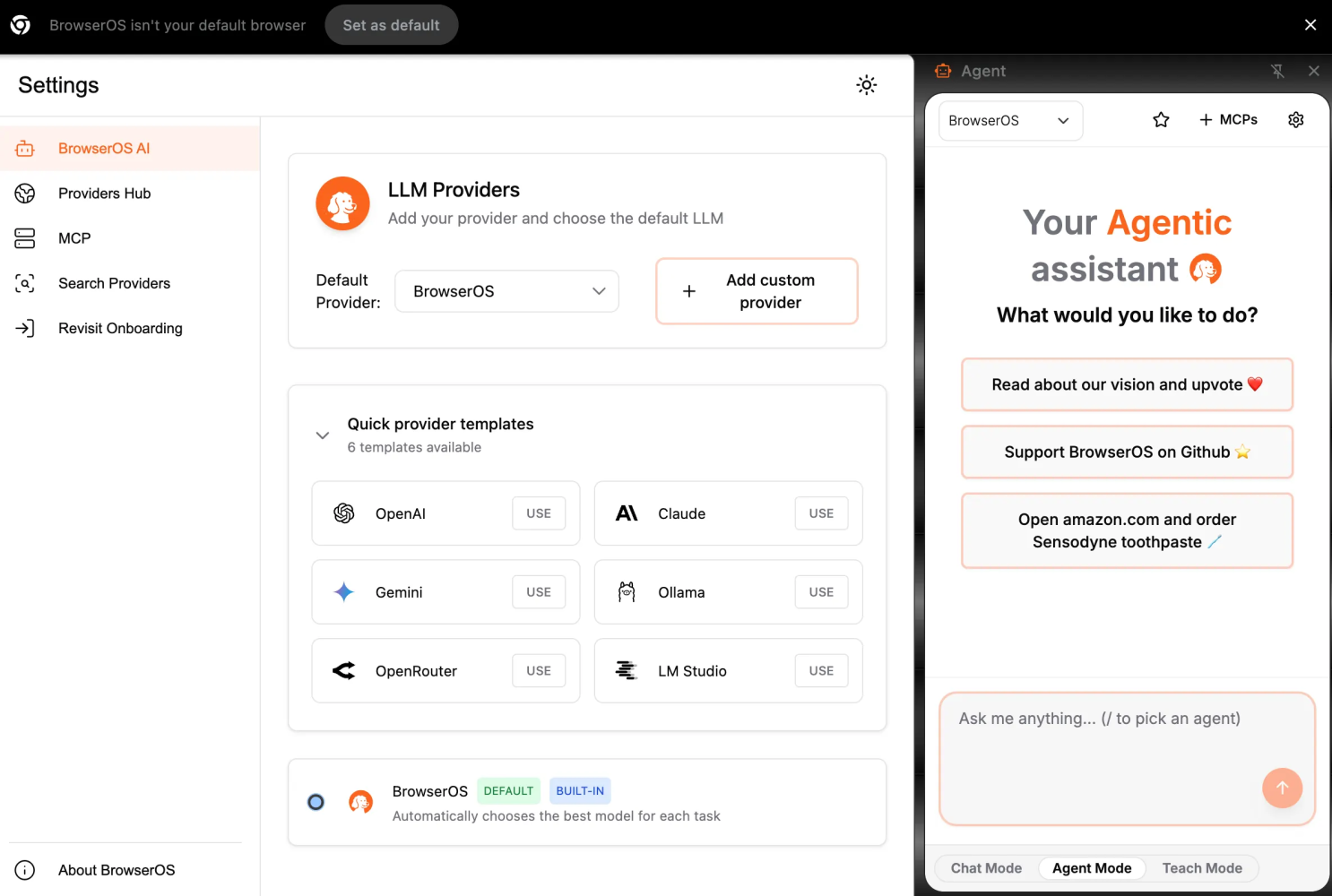
Next, I asked it to create this scheduled task “Daily at 0700 create an overview of all latest developments in AI. Scientific papers from arxiv, hugging face, google scholar, industry news, best blogs, government news, mergers, AI stock, etc”.
It immediately started searching. Not what I asked for. But what it did is that it executed a ‘browser-use’ algorithm whereby the AI opens a browser and starts searching for the answers itself. You see it clicking, scrolling, and doing stuff with a page, and that’s interesting of course, but I know from personal experience is that it starts to get boring after having seen it a couple of times, but I couldn’t find a way to switch it off.
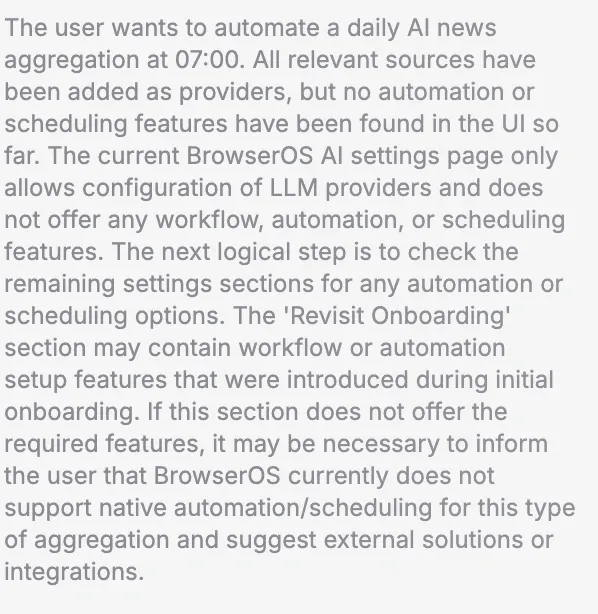
Bummer.
I would’ve liked it to have a browser import though. Now I have to rebuild my entire favorites back up again, including looking up old passwords. But hey, I wasn’t gonna have this spoil all the fun. It’s a free browser and it lets me use my own AI !
Another drawback is that the AI panel is not context aware. To solve this issue, they have added a handy screenshot function, and a content copy to clipboard so you can paste it into the ChatGPT panel, but that is sub-optimal. It’s basically two separate entities in one browser. That is something that needs fixing stat.
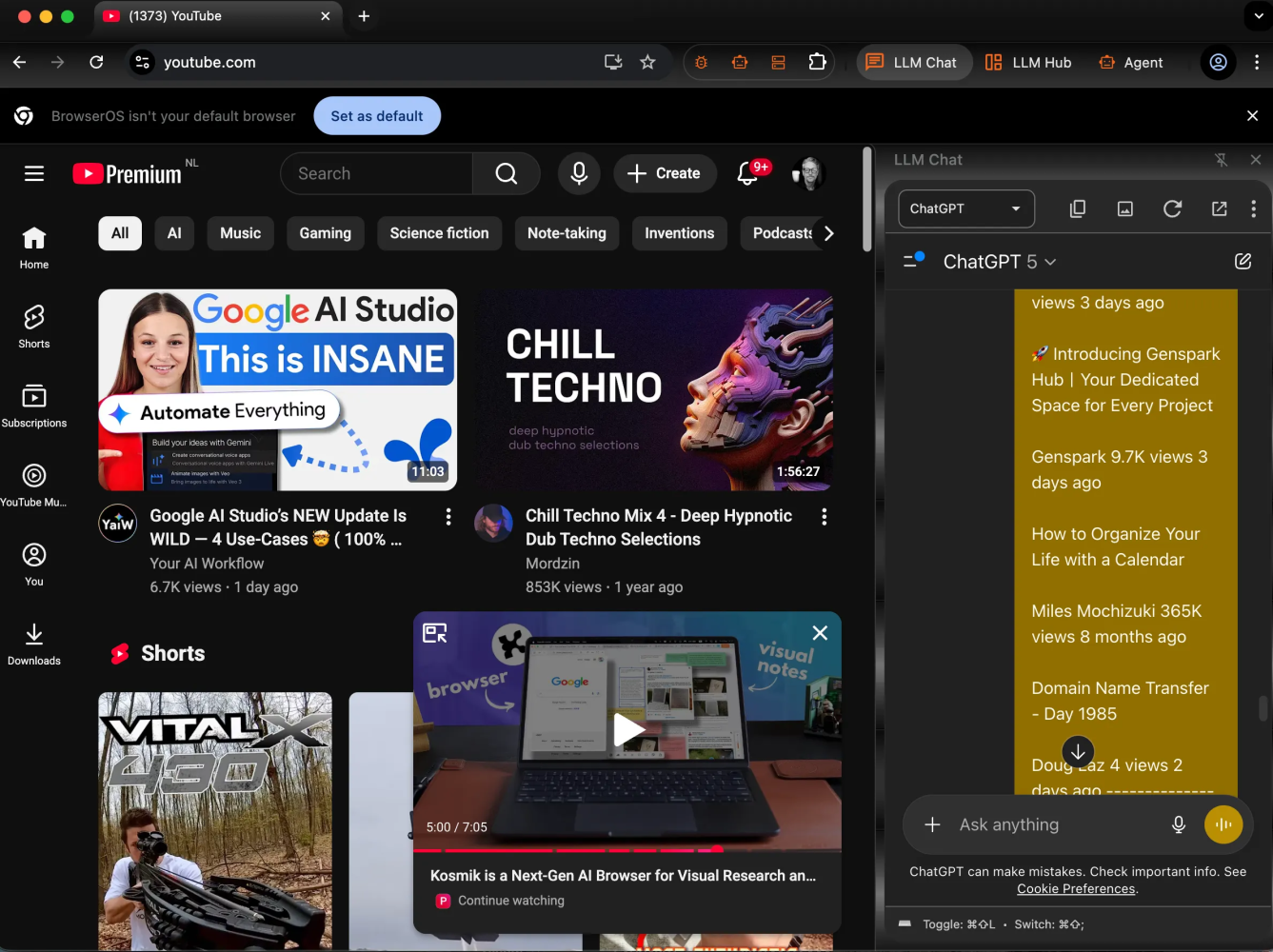
Pricing:
- Free. As in genuinely free. As in “no VC breathing down your neck kinda free”.
Available for Linux, MacOS, and Windows, which already makes it more democratic than half the startups pretending to reinvent browsing.
‡ Instead of storing “I visited https://example.com/article1234 on Nov 1 at 14:22”, the browser extracts the semantic content of the pages you visit (topics, entities, themes) and builds a vector/embedding-based index behind the scenes. This means you can talk with your browser history. “Where did I see that article about, um, uh, the burning sensation when urinating?”. Local Agents. Privacy first.

Sigma AI browser
If you thought the five browsers above were wild, Sigma shows up in flame-red latex with extra features and unashamed ambition. Ok, it’s another Chromium clone, but it’s also a browser that is trying to leave you obsolete while you sip your coffee, check your email, and make you pretend you’re “working.”
What it’s supposed to do . . .
- Agentic workflows→ The browser logs in, clicks buttons, fills out forms, navigates websites, extracts data, handles check-out, sends emails. Like the others do, yes. .
- Deep research mode→ Queue up journals, datasets, expert sources. Sigma goes in like Seal Team Sigma and spits back structured insights with citations. Also not new, but hey.
- AI assistant + content tools→ Built-in chat (SigmaGPT), image generation, summarization, translation, writing help, all inside the browser. Yeah, we’ve seen that before.
- Privacy & security features→ End-to-end encryption for chats, no tracking/profile building, ad-blocking, built-in VPN in some sources. Kinda cool, but I like BrowserOS better.
- Cross-device sync + unified workspace→ You’ll find bookmarks, history, settings syncing across OSs, and “one browser-to-rule-them-all” vibe. So, basically your OF visit will now appear on every device you own.
What it actually did . . .
To start, it got the wrong information right off the bat, when I asked to summarize my blog. That’s just plain horrible.

Their visuals are slick interfaces, and they do have bold promises (“browser understands what you need before you ask” kinda stuff), yet the “agentic” parts are in beta, behind waitlists, or feature-flagged (“first public beta of the autonomous AI agent is scheduled for August 2025” per their FAQ). An update would’ve been handy. I could not import from Edge which was a bummer, this means I basically need to start from scratch.
In short, I wasn’t really that impressed.
When asked to “Create this task: Daily at 0700 create an overview of all latest developments in AI. Scientific papers from arxiv, hugging face, google scholar, industry news, best blogs, government news, mergers, AI stock, etc.”, it asked me to connect to Zapier!
And I was left completely in the dark about what I should do next.

When I was done testing, this was the first to be de-installed.
Pricing tiers:
- Free Tier→ This is real. Basic features are available at no cost. Basic means really, really basic.
- Paid/Subscription Tier(s)→ The exact pricing is fuzzy (because of early access, waitlists, or shifting offers), and some listings suggest ~$7.50/month.
- Different sources show “Free Version / Free Trial” or “$3.99/month” depending on your religion I guess.

Fellou
Gesundheit!

Let’s do this Fellou, the so-called “world’s first agentic browser” (yes, they say it out loud), and pick apart what the branding promises vs. what it actually delivers. Because, of course, I’m doing this so you don’t have to.
Fellou gets onto stage with bold headlines like “Oweeee, we’re the world’s first Agentic Browser…”, and “Go beyond browsing with a self-driving browser where AI doesn’t just chat, it acts”. . .
Yeah, that.
🤤
When you open the browser, it takes over the screen where they show slick imagery of AI agents zooming through a “3-D workspace”, executing workflows while you sip coffee, and doing deep research across Reddit, Notion, desktop files, the works.
The branding part made me want to de-install it right on the spot, but since I got early access I decided to wait it out.
Here’s the meat.
Fellou says they want to automate your entire digital life. Some specifics . . .
- Deep action & workflow automation→ Why always ‘Deep?“. What is deep automation all about? Deep throat for workflows? Like it goes all the way down the stack and does the dirty work you swore you’d never touch again. Nah, in real life it’s more like “Go to LinkedIn, post this, then gather responses and summarise”. Sigh. This would’ve made a difference.
- Deep search & report creation→ pulls data from multiple sources instantly (including logged-in platforms like Reddit), compiles reports for you.
- I like the tasks function, whereby you can schedule tasks for it to do, like in my case I tried “ Create this task: Daily at 0700 create an overview of all latest developments in AI. Scientific papers from arxiv, hugging face, google scholar, industry news, best blogs, government news, mergers, AI stock, etc. “ and it did, like a faithful retriever (not Weiner, they’re not faithful).
- Content-aware browser→ It claims to understand page context (price data, product features, etc) and act on it, not just display it. I tried it, and, yeah it worked.
- Spatial/parallel workspace→ According to advertising, it adds a new “Z-axis” to browsing, multiple agents in parallel doing different tasks while you keep one tab open.
Z-axis? What hellish magic is this?
Lemme explain. . .
Your day-to-day web browsing is mostly “one-dimensional”, like you have a browser tab open and interact with just one thing at a time. Sometimes you might open extra tabs, which adds a bit of flexibility, but you’re still managing everything manually, and usually by yourself. This “Z-axis” means that, instead of only moving back and forth across web pages (the usual “X” and “Y” axes, switching tabs, scrolling up and down), Fellou lets you to activate multiple intelligent agents that run in parallel, behind the scenes.
Each agent can work on a different task for you while you continue your main activity in the foreground tab. For example, one agent can summarize documents from arXiv, another can check for breaking news, and another can compile industry stock movements. So basically, Oompa Loompas. Little factory workers that do thy bidding.
Buuut, since you know I don’t trust things at face-value. Here’s where the mismatch shows up
- The branding suggests full autonomy. “I say it, it does it.” But you still have to approve and intervene, wait for processing.
- They talk “end-to-end automation” across apps, desktop files, web logins. Sounds sexy. But there’s a lot of early-access bugs.
- Pricing, availability, features. Big promises, little concrete public pricing or mass deployment. The “multi-agent workspace”, “spatial browser”, “1-million users” claims tossed around.
By the way, I like their visual sleekness, and it is bloody fast and that is what I like. What I also like is it’s ease of use and simplicity. And the tasks, the Edge import function, and frankly also the “Z-axis” is useful. It is still a bit buggy though, I had to force quite this mofo a couple of times because it froze mid action.
Pricing plans
- Free, like $0/month. You get a “new-user” bonus of 1,000 Sparks (≈ 4 tasks) and 2 scheduled tasks. That’s nothing, but hey, you can slap ‘free’ on it somewhere.
- Plus. That’s $19/month. You get ~2,000 Sparks/month (≈ 8 tasks), 3 scheduled tasks. Still nothing, AND you loose money as well.
- Pro sets you back a $39.90/month. And for that fiesta, you get ~5,000 Sparks/month (≈ 20 tasks), 5 scheduled tasks.
- Ultra. Why the heck pay $199.90/month for a freaking browser? It gives you “Unlimited Sparks – Limited Time”. This means they still can cap you at 02 AM in the morning. Unlimited scheduled tasks, as if you’re gonna have the time to read through a 100 daily messages, cause you have to earn those 200 bucks back sometime.
If you pay annually you apparently save ~20%. Nice gesture. Still a browser.
BrowserOS just let’s you play with your own AI. I think Fellou (gesundheit!) isn’t gonna make it. You?
Edge with copilot
And now it is time to test the one in-browser AI Assistant that has been there the longest, but for some reason I never have played with it, even though I pay 30 coin a week for this hidden thing.
There’s still no civilized way to make Copilot show up automatically when you open Edge, ike, say, your favorites or the new-tab clutter you never asked for. But after spelunking through the settings menu like an unpaid QA intern, I did find the secret handshake.
You go to Settings → AI Innovations (because apparently everything good hides under something called “Innovations”), then flip both Copilot Mode and Copilot New Tab Page to on. Boom. You’ve now “enabled” the mythical pinning feature, and Copilot finally stays glued to your browser like that one clingy app you secretly like.
Maybe that tiny miracle will keep Edge as my daily driver instead of me defecting to one of the other half-baked AI browsers I’ve been testing. But of course, Microsoft can’t help itself, it’s always just one layer of friction away from joy. At least this time, you don’t need to open a command line and whisper a bash incantation to summon your assistant. That would’ve been a vibe-killer of biblical proportions.
The chat assistant is… fine. Basic, polite, and about as ambitious as my lazy ass Weiner. Sure, it remembers context and can Google stuff for you, but “agentic”, it doesn’t even come close. It won’t juggle tasks or run parallel actions, it’s basically a chatbox that lets me talk to a browser.

Its only party tricks are image generation and deep search, which sounds impressive until you realize every competitor’s been doing that since last fiscal quarter. And yeah, they were first to bolt this onto a browser, but they clearly parked the innovation bus right after launch.
Say the Wright brothers invented flight and then decided walking was still good enough. That’s Microsoft’s innovation for you.
Next, I switched to a different account that had a paid for version of Copilot, to see if that had anymore features.
And immediately I had more functions at my disposal, including the standard copilot m365 functions, like chatting with your documents, rummaging through your files and chatting with your emails.
Now, what else does the Pro version have that the free one doesn’t.
Here’s a short overview:
- You get priority access to the latest AI models, especially during peak usage times, like fewer “sorry, we’re overloaded” messages. Is this a reason for buying? Nah.
- You unlock “advanced capabilities” beyond the free baseline version: higher usage limits, deeper integration, more horsepower. No reason as well.
- Integration with desktop/web versions of Office apps (Word, Excel, PowerPoint, Outlook) and also the standalone Copilot app/side-pane in Windows/Mac. Yeeey. Ok, that one adds a little value. Not the full 30 coin, but it’s deductible so that’s the only reason I’m keeping it.
- Access to image generation (via Microsoft Designer), possibly more resolution or faster response. Another non-feature that I couldn’t care less about
- Ability to be “inside” your work context: if you’re using Office apps, Copilot Pro can use your documents, spreadsheets, emails to deliver more contextual assistance. Yeah, again, this is the reason for buying Copilot Pro in the first place.
All in all, Edge had the head start and then face-planted right after the starting gun. Classic Microsoft move, first to arrive, last to evolve. They had the first-mover advantage and somehow managed to lose it like my Weiner always misplaces his ball.
It still hasn’t convinced me to stay loyal. I’m already eyeing the newer agentic browsers that actually feel alive, not stuck in corporate beta. Yeah, sure, Edge has its charms, that right-hand toolbar, those sexy vertical tabs, and the surprisingly decent workspaces. But those are comfort features, not competitive moats. The others will clone them, but I’m hoping they stay far away from “Windows update rebooting now”.
Price (pain) points:
- For individuals using Copilot Pro in general: the “Pro” version is US $20 per user/month.
- For business/enterprise use via Microsoft 365 Copilot (i.e., AI in Word, Excel, Outlook, Teams, etc): US $30 per user/month, annual commitment.
- There’s also a free baseline version via certain Edge/browser integrations (but with limited features).
Nimo Infinity
And last, but certainly not first is Nimo Infinity. They’ve got a stupid name that reminded me of an orange clown-fish, a stupid waiting list, and a marketing pitch that sounds like it was written by someone who just discovered the word “metaverse” again. But according to their unconfirmed specs, they’re supposed to have a full spatial workspace that merges browsing, multitasking, and digital hallucination into one slick “infinite canvas”, yeah, basically Chrome again, if it did ayahuasca and came back convinced it was a productivity guru.
I could not even find a decent screenshot for you to look at.
So, with this anti-climax, I end my deep-dive into agentic browser lala-land.
The AI browser wars are officially here, and they’re exactly as weird as you’d expect, and they’re all Chrome clones with God complexes. Atlas has boundary issues. Comet wants to be your PhD advisor. Kosmik is a chaotic creative, Dia is a therapist who never stops taking notes, BrowserOS is the only one that doesn’t secretly want your data for breakfast, Fellou has a branding issue but secretly is the best one out there, Edge Copilot is just . . Microsoft, and Nimo is late to the party.

And me. . .
I’ll keep testing them, mostly to see which one becomes sentient first.
Signing off,
Marco
I build AI by day and warn about it by night. I call it job security. Big Tech keeps inflating its promises, and I just bring the pins and clean up the mess.
👉 Think a friend would enjoy this too? Share the newsletter and let them join the conversation. LinkedIn, Google and the AI engines appreciates your likes by making my articles available to more readers.
To keep you doomscrolling 👇
- I may have found a solution to Vibe Coding’s technical debt problem | LinkedIn
- Shadow AI isn’t rebellion it’s office survival | LinkedIn
- Macrohard is Musk’s middle finger to Microsoft | LinkedIn
- We are in the midst of an incremental apocalypse and only the 1% are prepared | LinkedIn
- Did ChatGPT actually steal your job? (Including job risk-assessment tool) | LinkedIn
- Living in the post-human economy | LinkedIn
- Vibe Coding is gonna spawn the most braindead software generation ever | LinkedIn
- Workslop is the new office plague | LinkedIn
- The funniest comments ever left in source code | LinkedIn
- The Sloppiverse is here, and what are the consequences for writing and speaking? | LinkedIn
- OpenAI finally confesses their bots are chronic liars | LinkedIn
- Money, the final frontier. . . | LinkedIn
- Kickstarter exposed. The ultimate honeytrap for investors | LinkedIn
- China’s AI+ plan and the Manus middle finger | LinkedIn
- Autopsy of an algorithm – Is building an audience still worth it these days? | LinkedIn
- AI is screwing with your résumé and you’re letting it happen | LinkedIn
- Oops! I did it again. . . | LinkedIn
- Palantir turns your life into a spreadsheet | LinkedIn
- Another nail in the coffin – AI’s not ‘reasoning’ at all | LinkedIn
- How AI went from miracle to bubble. An interactive timeline | LinkedIn
- The day vibe coding jobs got real and half the dev world cried into their keyboards | LinkedIn
- The Buy Now – Cry Later company learns about karma | LinkedIn

 Portfolio Marco van Hurne
Leave a comment